.png?width=210&height=40&name=bleu%20et%20gris_Sigle+logo%20SBO%20(4).png)
Shippingbo allows you to configure a distinctive error sound when you scan the wrong product or location with the PDA.
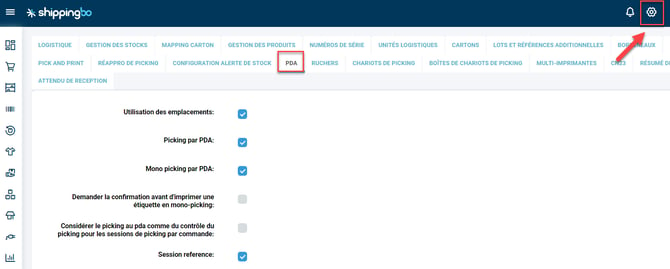
Step 1:On your PC, go to the menu Configurations -> Logistics -> PDA :
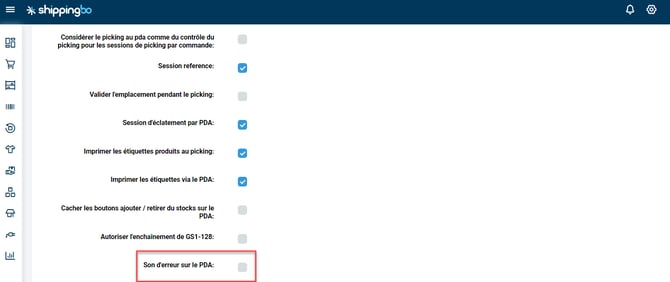
Step 2: Check the box Error sound for the PDAIf you wish to enable sound, uncheck the box to disable it:
To go further 🛫
- Install the Shippingbo app for PDA
- Connect your PDA to your Shippingbo account
Contact us 📬
Any questions about this feature?
Feel free to write to us
hereso that we can answer your questions.