.png?width=210&height=40&name=bleu%20et%20gris_Sigle+logo%20SBO%20(4).png)
If you have a Shippingbo OMS account with several warehouses attached to it, you can search your orders by filtering by destination warehouse.
1. To do this, go to your OMS account, open the orders menu, then click on Add in the advanced search:

2. Then, in the Relation field, select Warehouse order before entering its value and confirming your search:
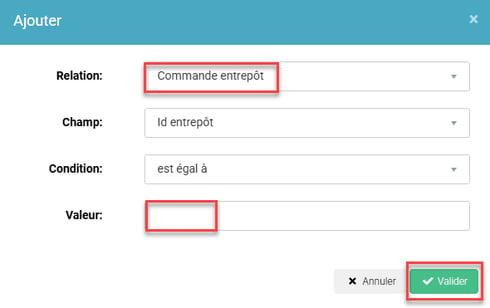
You can thus quickly check the status of each order in the warehouse to which it has been routed.
💠Note:
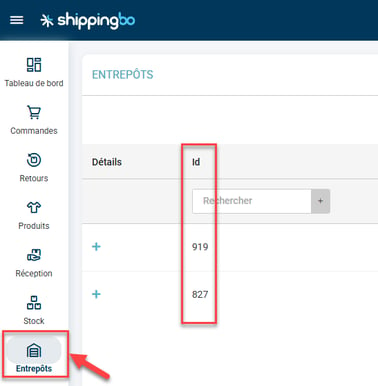
To find the ID of your warehouse, go to the Warehouses menu -> Id column:
Contact us 📬:
Questions about this feature?
Feel free to write to us
here so that we can answer your questions.