.png?width=210&height=40&name=bleu%20et%20gris_Sigle+logo%20SBO%20(4).png)
You want to run an Orders export (Configurations -> File management -> Exports -> Orders), but with certain price or tax data included in the export.
There are several options to refine the price data included in the Orders export according to your needs.
✅Solution:
-
To include discounts in the Orders export: on the exports page, click on the Configure button corresponding to the Orders export:
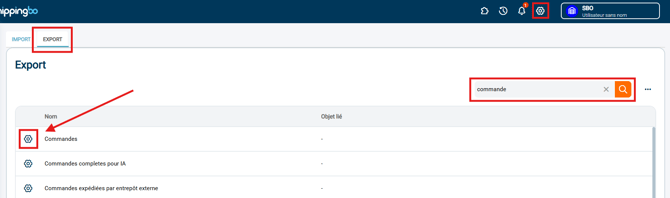
Check the option Discount (cents):
- To get shipping cost information including taxes in the Orders export (column totalShippingTaxIncludedCents):
Go to the connector of the relevant sales channel (Connectors > Sales channels > [Sales channel of your choice]), in Advanced settings: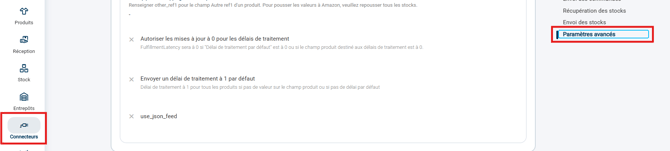
Then check the option Recalculate taxes: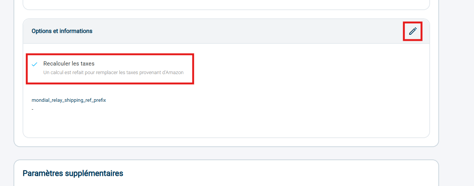
➡️ This will let Shippingbo calculate the tax rates according to your settings in Shippingbo, and therefore get the tax information in addition to the price excl. VAT in the Orders export. - To get the total price information of the products in the orders, taxes included (column orderItems.priceTaxIncludedCents):
Go to the connector of the relevant sales channel (Connectors => Sales channels), and uncheck the option "Order line prices are prices excluding tax":
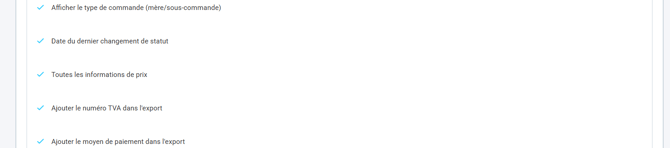
- You can also go to the export configuration and check the option All price information.
Contact us 📬:
Questions about this feature? Feel free to write to us here so that we can answer your questions.