.png?width=210&height=40&name=bleu%20et%20gris_Sigle+logo%20SBO%20(4).png)
Connect Zapier to Shippingbo
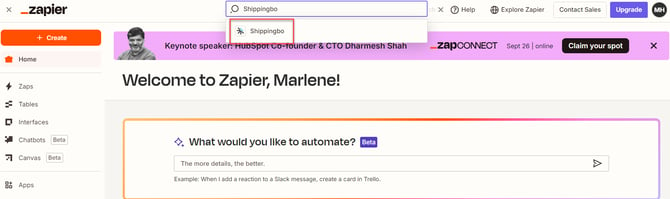
Step 1: Log in to your Zapier account and click on "Search" in the search bar. Then search for "Shippingbo" and select it:
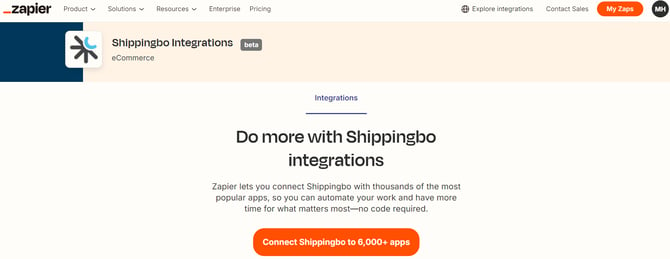
Step 2: Click on "Connect Shippingbo to +6,000 apps":
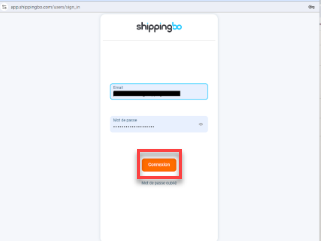
Step 3: Authenticate your Shippingbo account by entering your credentials, then click on "Log in":
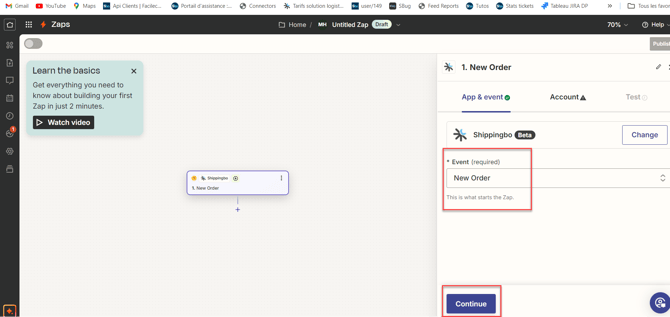
Step 4: From here, start creating the events and tasks you want with Shippingbo:
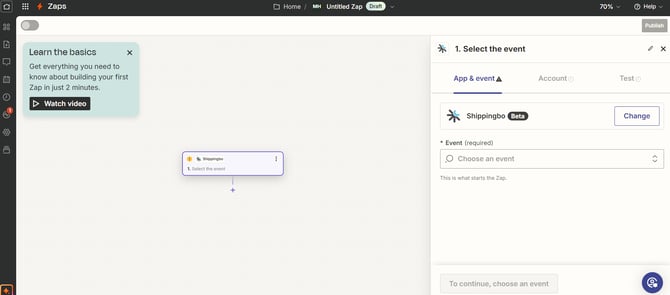
The possible tasks between Zapier and Shippingbo are the following:
- From a third-party application to SBO:
- create an order in Shippingbo
- create a product in Shippingbo
- From SBO to a third-party application:
- export a new order from Shippingbo
- update a shipped order from Shippingbo
Here is a non-exhaustive list of applications that can be connected to Shippingbo via Zapier:
-
CRM/ERP: Sellsy, Salesforce, Dynamics, Hubspot, Pipedrive, Zoho, Odoo, Zendesk, Netsuite, Divalto, Bexio, Sage, Gorgias, Pennylane…
- Other apps: Google Forms, Google Sheets, Slack, Typeform, Trello, Gmail, Calendly, Docusign
- Payment : Paypal, Stripe, Mollie,...
- Marketing : Klaviyo, Pardot, MailChimp, TrustPilot, WhatsApp, Shoppingfeed, Lengow, Baselinker, Connectif...
- Commerce : Bigcommerce, Ecwid, Wix...
💠Note:
For any questions about the use of Zapier, you can click on the "Help" button at the top right of your Zapier account:

⚒️ Recommendation:
Before fully using the feature described in this tutorial, we strongly recommend running a test phase with your own settings to check that the result matches your expectations. As the customer remains fully responsible for the actions carried out in the Shippingbo account, these tests are essential to use the tool with complete peace of mind.
📢 Warning:
Only direct connections to sales channels allow Shippingbo to guarantee control of the flows. When orders are not retrieved via an official Shippingbo connector, but pass through a third-party tool (intermediate CMS, external connector, FTP, manual or automated import), Shippingbo cannot guarantee the integrity, reliability or completeness of the transmitted data.
This data may be modified, truncated, reformatted or duplicated before it is received in Shippingbo, notably leading to processing errors, duplicate orders, status inconsistencies, label blockages, carrier or customs anomalies, as well as a degradation of the final customer experience.
In this context, Shippingbo is not able to investigate or correct the anomalies originating from the third-party system. Any anomaly related to upstream data falls outside Shippingbo's scope of responsibility (more information on the scope of support here). These investigations can only be carried out as part of a specific service and will be invoiced.
For all these reasons, it is strongly recommended to connect your sales channels directly to Shippingbo via the official connectors.
Contact us 📬:
Questions about this feature? Feel free to write to us here so that we can answer your questions.