.png?width=210&height=40&name=bleu%20et%20gris_Sigle+logo%20SBO%20(4).png)
1. Retrieving the Refurbed API key
To get your Refurbed API key, please request it at the following e-mail address: integrations@refurbed.com
2. Create an external service in Shippingbo and fill in the requested information
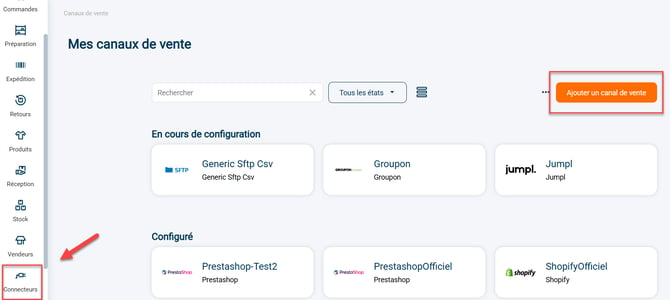
2.1: Go to your Shippingbo interface to create your external service in the menu Connectors-> Sales channels -> Click on Add a sales channel:
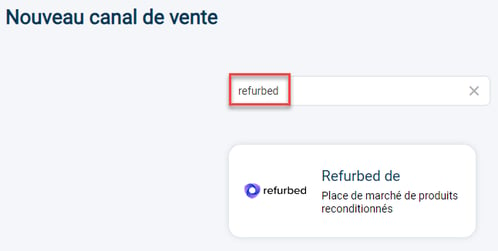
2.2: Search for Refurbed in the search bar, then click on the Refurbed tab that appears:
2.3: Your connector opens and a first category appears:

1) The pen to the right of Refurbed allows you to change the name of your connector.
2) The "View help" button redirects you to this tutorial.
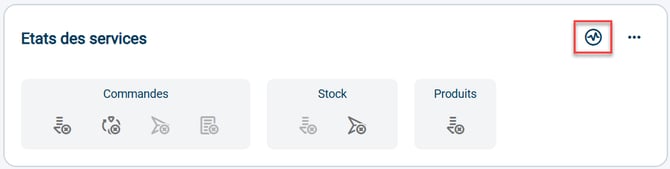
3) The graph icon allows you to check the validity of the connection between Shippingbo and your Refurbed shop.
4) The Orders block informs you of the features that are enabled, disabled or unavailable between your Shippingbo account and your Refurbed shop for orders: order retrieval, order closing, order sending, order acceptance.
5) The Stock block informs you of the features that are enabled, disabled or unavailable between your Shippingbo account and your Refurbed shop for stock: stock retrieval, stock sending.
The color code of the icons is as follows:
- blue for active features
- dark gray for disabled but available features
- light gray for unavailable features
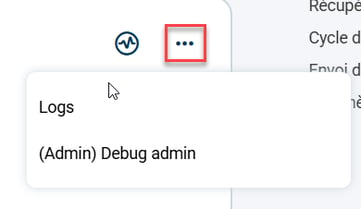
2.4: By clicking on the 3 small dots to the right of the graph icon, you can view the calls made with this service:
3. Connect Refurbed.de
3.1: First, you must enter the Refurbed API key in the "General settings" block:
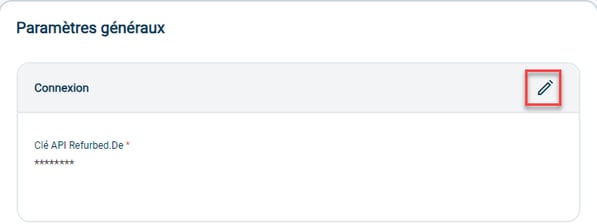
3.2: Then fill in the rest of the information you need in the following blocks: Order retrieval; Order closing; Stock sending; and even in the Advanced settings.
📢 Warning:
To activate the order retrieval, click on the arrow to the right of the category:

⚒️ Recommendation:
Before fully using the feature described in this tutorial, we strongly recommend running a test phase with your own settings to check that the result matches your expectations. As the customer remains fully responsible for the actions carried out in the Shippingbo account, these tests are essential to use the tool with complete peace of mind.
📢 Warning:
Only direct connections to sales channels allow Shippingbo to guarantee control of the flows. When orders are not retrieved via an official Shippingbo connector, but pass through a third-party tool (intermediate CMS, external connector, FTP, manual or automated import), Shippingbo cannot guarantee the integrity, reliability or completeness of the transmitted data.
This data may be modified, truncated, reformatted or duplicated before it is received in Shippingbo, notably leading to processing errors, duplicate orders, status inconsistencies, label blockages, carrier or customs anomalies, as well as a degradation of the final customer experience.
In this context, Shippingbo is not able to investigate or correct the anomalies originating from the third-party system. Any anomaly related to upstream data falls outside Shippingbo's scope of responsibility (more information on the scope of support here). These investigations can only be carried out as part of a specific service and will be invoiced.
For all these reasons, it is strongly recommended to connect your sales channels directly to Shippingbo via the official connectors.
Contact us 📬: