.png?width=210&height=40&name=bleu%20et%20gris_Sigle+logo%20SBO%20(4).png)
1. Information to retrieve for configuration
To connect your Colis Privé contract, you will first need to retrieve the following information:
- web service access (production account and password)
- Account number (account ID)
- Colis Privé customer ID
- Your contract type: EASY or BIS
- Service used: with or without signature
2. Create a carrier service in Shippingbo
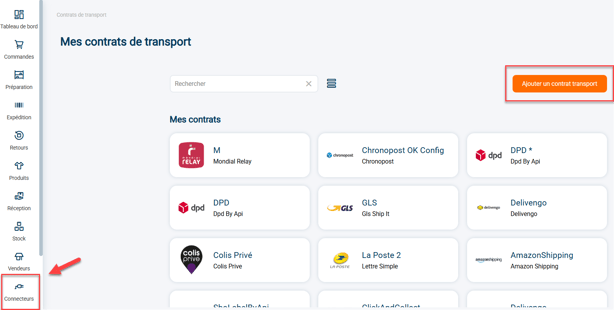
2.1: Go to your Shippingbo interface to create your carrier connection in the menu Connectors -> Carrier -> Click on Add a carrier :
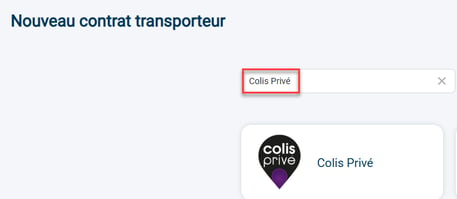
2.2: Search "Private parcel" in the search bar, then click on the Colis Privé tab that appears:
2.3: Your connector opens and the first category appears:

1) The stylus to the right of the service allows you to change the name of your connector.
2) The "Logs" button redirects you to the calls made to the carrier. For more information on this, you can consult our tutorial.here.
3) The "View Help" button will redirect you to this tutorial.
3. Configure the carrier account
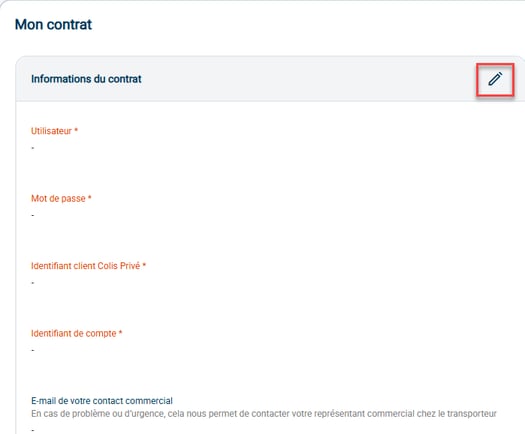
3.1: Enter your carrier contract information:
- User: Colis Privé web services login
- Web services password
- Colis Privé customer ID
- Account ID: web services account ID
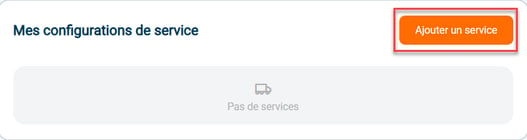
3.2:Go to "My services" to create a new configuration:
3.3:The configuration will be enabled by default:
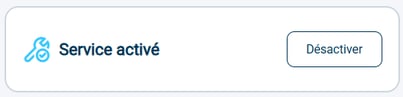
Next, fill in the information required for the configuration:
- the serviceSelect the name of the service to connect to:
- labels & slipsSelect here the information you want to appear on the labels
- delivery slip to the carrierEnter the information relating to your Colissimo deposit slips here.
- parcel and insuranceConfigure your insurance if you have one.
💬 Good to know:
In order to retrieve the relay points in your orders, it is necessary to check that yourCMS is configured correctlyto transmit this information.
If you have any questions or need help with the setup, please don't hesitate to contact our support team. here.
3.4: You can adjust your shipping address by clicking on Add an address in the relevant section:

3.5: You can also create a different shipping address depending on the order's origin:
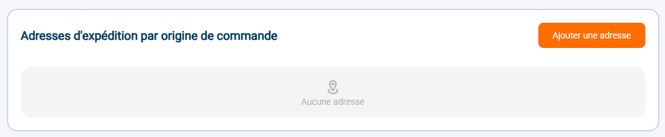
3.6: If needed, you can remove this carrier by clicking on Remove the connector :

⚒️ Recommendation:
Before fully using the functionality described in this tutorial, it is strongly recommended to performa testing phasefollowing your own parameters to verify that the result meets your expectations. The remaining customerfully responsibleThese tests, which are essential for ensuring the tool can be used with complete peace of mind, are crucial for the actions carried out on the Shippingbo account.
FAQ ❔:
- Colis Privé: error generating a label (offer by zone)
- Colis Privé: authentication error (code-2)
- Colis Privé: Error: No match between AccountID and CP Client Code (code-4)
Contact us 📬:
Any questions about this feature?
Feel free to write to ushereso that we can answer your questions.