.png?width=210&height=40&name=bleu%20et%20gris_Sigle+logo%20SBO%20(4).png)
Summary
- Rapid generation invoices for orders already received.
- Import process simple and effective to process multiple orders at once.
- Time saving and automation of sending invoices to your customers.
2. Prerequisites✔️:
- This feature is only available to customers using the Invoices option Shippingbo as well as for customers with a Shipping Package Invoice having completed the trial period.
📢Attention :
Each invoice generated via this import will be charged at 3 cents.
3. How does invoice generation work for orders imported by
Invoice generation via import allows you to create invoices for orders received before automatic invoice generation was activated on your account. Each invoice generated using this method will be charged at €0.03.
4. Obtain the list of orders for which invoices must be generated.
- Go to the menu Configurations -> File management -> Export-> Order IDs -> Exports:
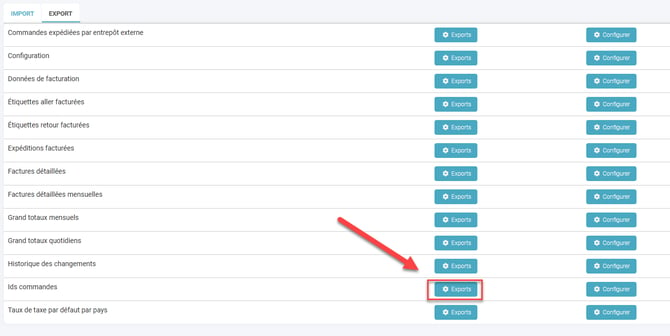
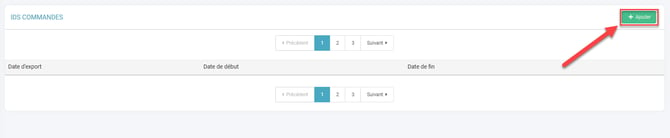
- Click on Add :
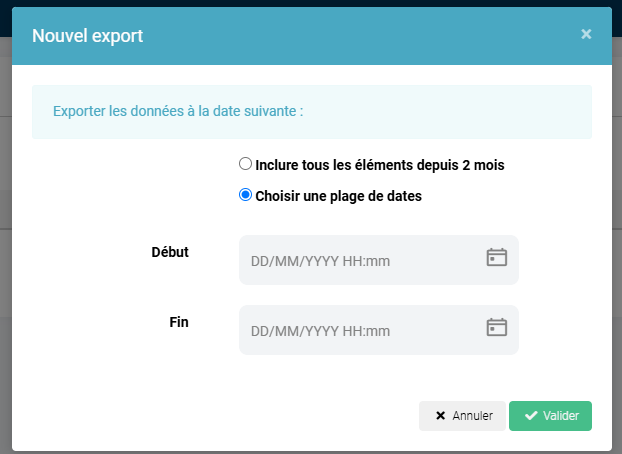
- Select the date range encompassing the orders for which you want to generate invoices:
- You have just obtained, in the generated fileEnter the order IDs for which you want to generate invoices. Proceed to the next step of this tutorial to generate the invoices.
5. Generate invoices by importing
- Go to the menu Configurations -> File management -> Import -> Invoice generation :
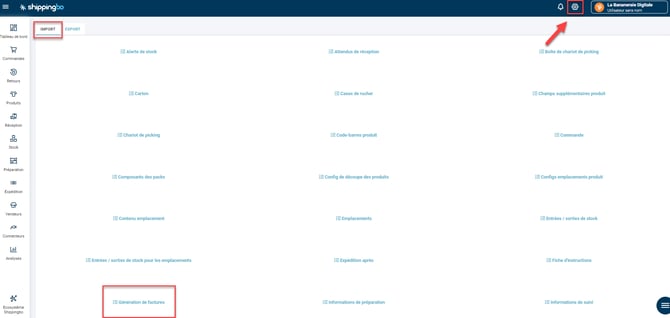
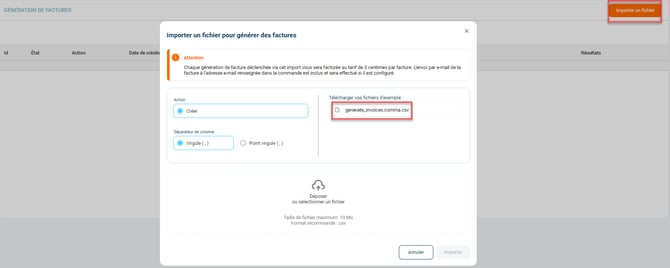
2. Click on Import a file and download the example file:
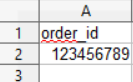
Fill in the file by entering the order identifiers for which you wish to generate invoices (see the previous step of this tutorial to obtain them):
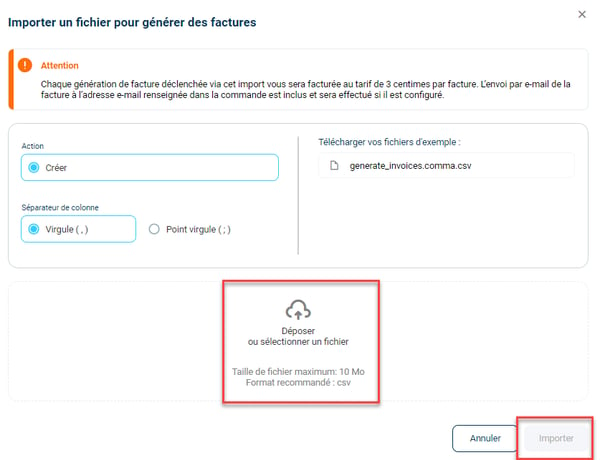
Once your file is ready, click on Drop or select a file, then on Import :
You can find the generated invoice in the "Documents" tab of the orders.
📢Attention :
The invoice will also be sent by email to the address provided in the order once generated, provided email notifications are correctly configured. To check the configuration, you can consult our tutorial. here.
6. Use invoice generation via import
Example : You activated the invoicing feature after receiving several orders. By following the steps above, you can import a file to generate invoices for these orders and automatically send them to the recipient's email address specified in the order.
⚒️ Recommendation:
Before fully using the functionality described in this tutorial, it is strongly recommended to performa testing phasefollowing your own parameters to verify that the result meets your expectations. The remaining customerfully responsibleThese tests, based on actions performed on the Shippingbo account, are essential to ensure the tool can be used with complete peace of mind.
To go further 🛫:
- Invoice option on Shippingbo
- Order status change notification and invoice sent by email
Contact us 📬:
Questions about this feature? Feel free to write to us. here so that we can answer your questions.