.png?width=210&height=40&name=bleu%20et%20gris_Sigle+logo%20SBO%20(4).png)
1. Prerequisites
- To connect your Colissimo return service, you must first have connected your outbound service.
➡️ For this, you can consult our tutorial Carriers - Connect Colissimo. - Feature available for all Shipping Packs.
🚩 Special case:
If your Shippingbo database is a WHOYou do not need to have already configured an outbound service. However, access to the configuration of return services requires activation by our technical teams, whom you can contact. here.
2. Connect the Colissimo Return contract
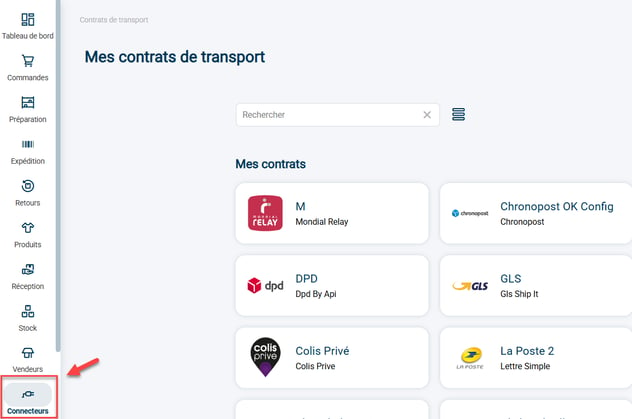
Step 1:Go to your carrier settings via the menu Connectors -> Transport contracts :
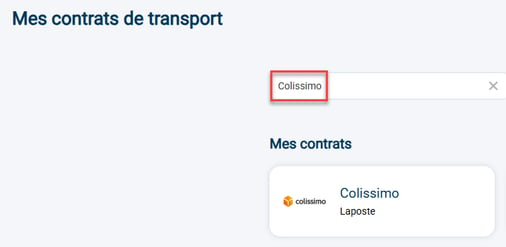
Step 2: Find your connected Colissimo contract and then access its settings:
🚩 Special case:
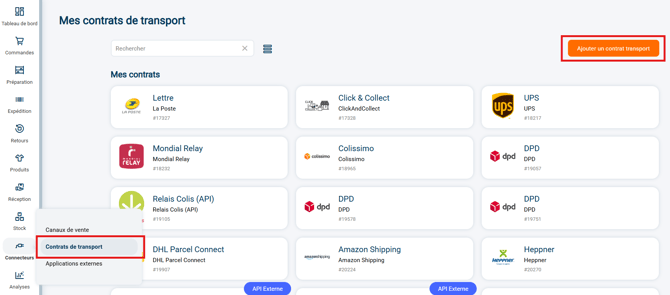
If your Shippingbo database is a WHOYou will need to create the transport contract at this stage. Go to Transport contracts and click on Add a transport contract :
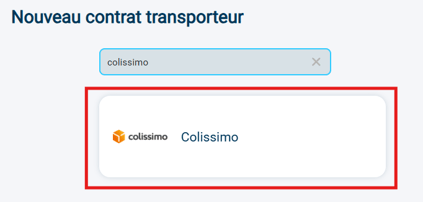
Search "Colissimo" in the search bar and click on the tile Colissimo which is displayed:
Step 3:Go to the category My services return then click on Add a return service :

Step 4:Select the service name: Colissimo Return France or Colissimo Return International:
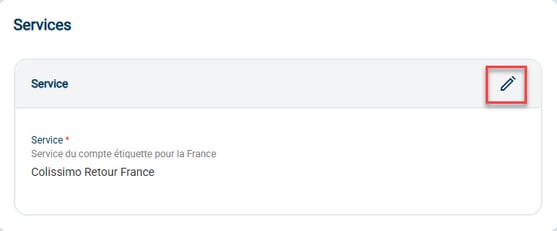
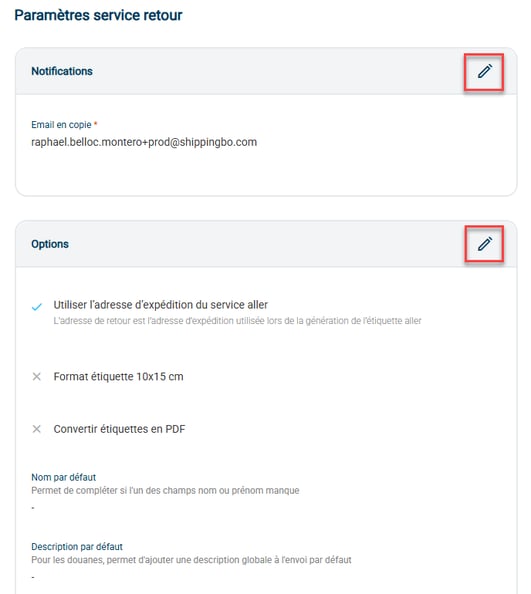
Step 5:Enter your return service settings:
- NotificationsEnter here the email address to be notified when a return is created under this contract.
- Options :
- Use the shipping address from the outbound service: Check this option if you want the return address to be the same address as the shipping address provided in the outbound contract.
- Label size 10x15 cmCheck this option if you want the 10x15 cm format to be used for return labels (recommended).
- Convert labels to PDFCheck this option if you want to automatically convert return labels to PDF format.
- Default nameEnter a default name here if you wish, so that the "name" or "first name" field is not empty.
- Default descriptionEnter a default description here so that the "description" field is never empty. Please note that this field must be completed in order to obtain customs documents.
Step 6:You can remove this carrier by clicking on "Remove connector":

⚒️ Framework and responsibilities:
Before fully using the functionality described in this tutorial, it is strongly recommended to performa testing phasefollowing your own parameters to verify that the result meets your expectations. The remaining customerfully responsibleThese tests, which are essential for ensuring the tool can be used with complete peace of mind, are crucial for the actions carried out on the Shippingbo account.
To go further 🛫:
- Carriers - Connect Colissimo
Contact us 📬:
Any questions about this feature?
Feel free to write to ushereso that we can answer your questions.