.png?width=210&height=40&name=bleu%20et%20gris_Sigle+logo%20SBO%20(4).png)
When you are in an advanced warehouse, in order for your stock to be correctly decremented of your products during the preparation and shipment of your orders, your orders must follow a "life path" defined in Shippingbo.
In this tutorial, we will show you the lifecycle of an order in Shippingbo within an advanced warehouse context, and how at each stage it interacts with product inventory in the interface.
ORDER UPGRADE IN SHIPPINGBO
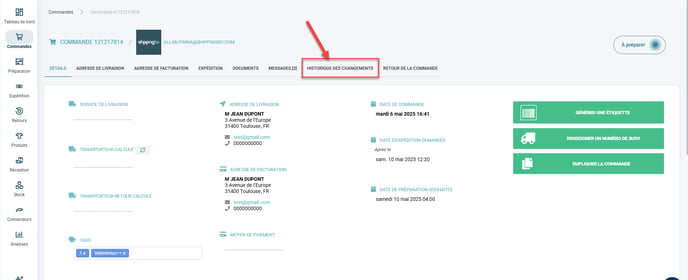
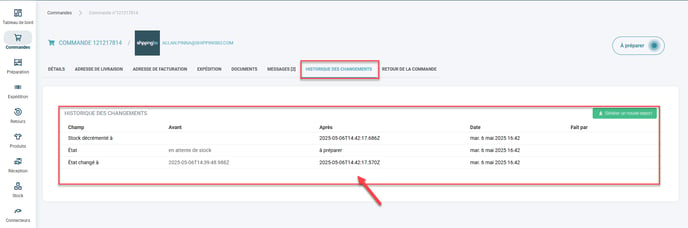
The order arrives in Shippingbo, it deducts the available stock for sale and reserves the stock from the available stock.
Control side:
Product details:
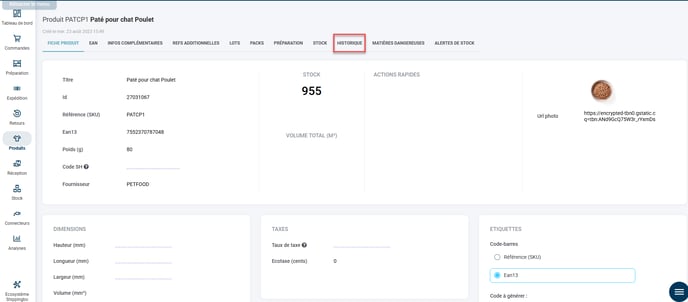
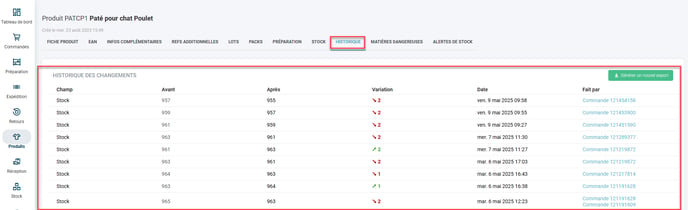
At the same time, the stock available for sale is updated on the MKP/CMS.
2 - TRANSITION TO PREPARATION
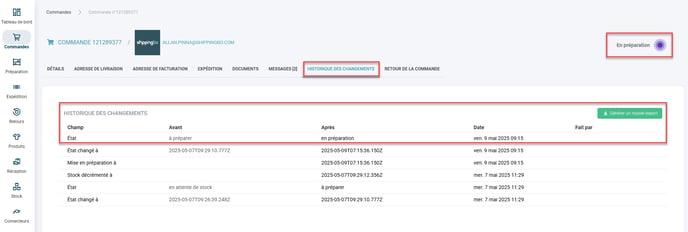
The order enters a preparation session > the preparation slip (and therefore the package) is created, which will reserve stock in the location.
Order:
Location:
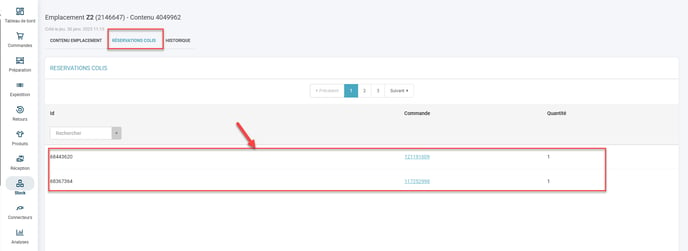
Without this, the stock will not be decremented correctly.
3 - PICKING OF THE ORDER
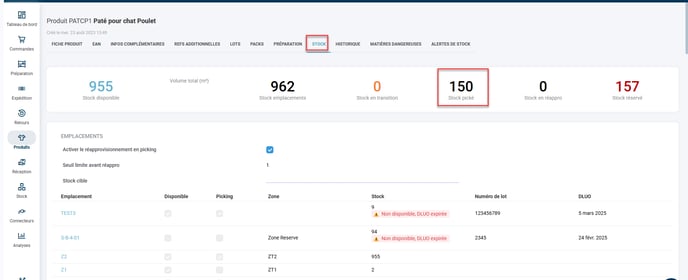
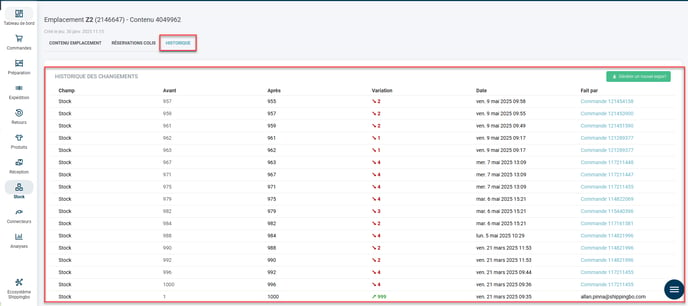
The order is picked using the PDA according to your chosen preparation process. The product's stock then moves to "Stock in Picking" (this should be understood as stock currently being picked, as the product is no longer physically in its location and has not yet been shipped).
Product details:
Regarding location:
💠 Noticed :
Once stock has been picked, if you need to remove the order from the session, you will have to go through the restocking process on the PDA to put the picked quantities back in the location.
For this, you can refer to the tutorialRESTOCKING PRODUCTS AFTER THEY HAVE BEEN PICKED
4- ORDER SHIPPING
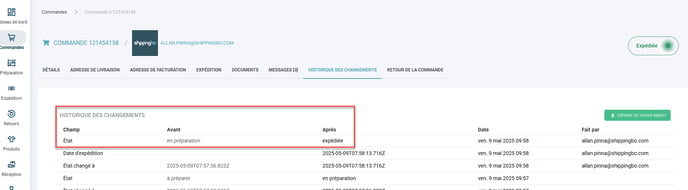
Once the picking is complete and you have generated the label in Shippingbo, following your preparation process, the order is then marked as shipped. The product's stock in the picking inventory is thus cleared because the product is considered shipped (no longer present in the warehouse).
Regarding the controls:
Product details:
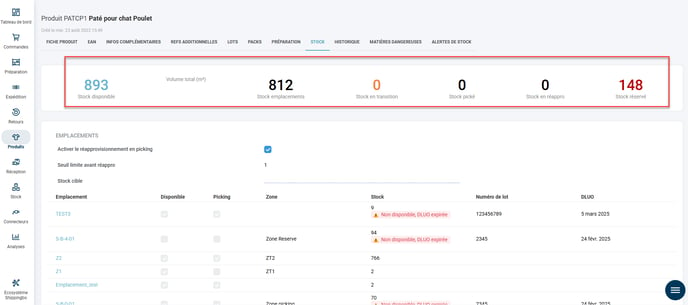
Your order has therefore been correctly shipped, and the products associated with the order have been correctly decremented in Shippingbo.
To guide you in preparing your orders according to your advanced warehouse preparation process, you can find here the 7 preparation processes available in Shippingbo for advanced warehouses.
Contact us 📬:
Any questions about this feature?
Feel free to write to ushereso that we can answer your questions.