.png?width=210&height=40&name=bleu%20et%20gris_Sigle+logo%20SBO%20(4).png)
Summary
- Error reduction : Increased accuracy thanks to product scanning with the PDA.
- Full traceability: Generation of a downloadable summary document of actions (addition or removal of stock).
- Speed: Simplified operation via the use of the PDA
2. Prerequisites✔️:
- Available from the pack Premium + and working with a PDA.
3. How to perform a stock variation session?
3.1 Create a variation session on your PDA
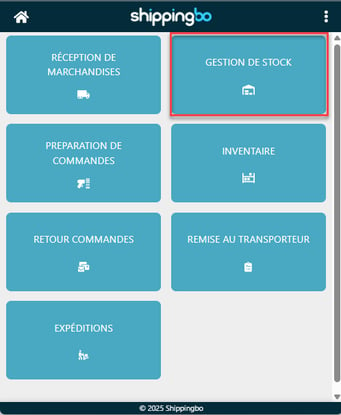
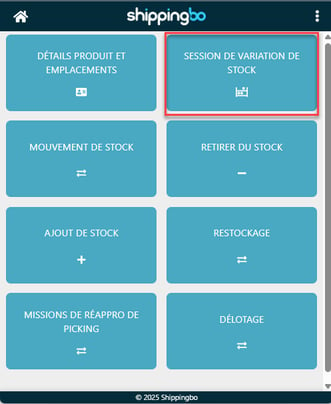
- Go to the menu on your PDA Inventory management → Stock variation session:
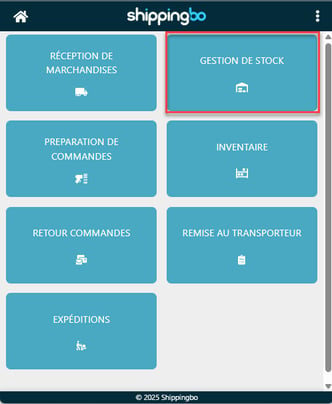
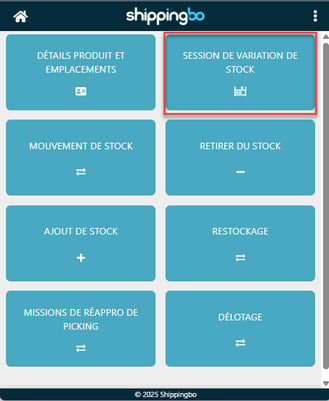
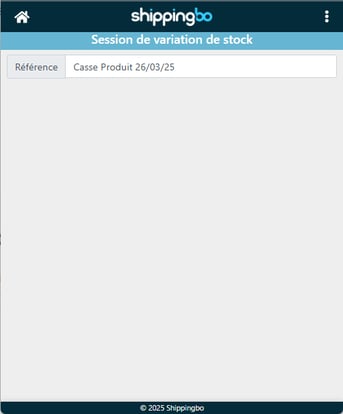
- Fill in a session name (e.g. "Product Breakage 03/26/25):
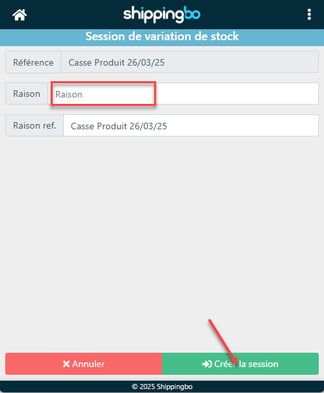
- (Optional) Specify a reason and one reference if they are defined in Shippingbo.
- Then, click on Create the session to complete its creation:
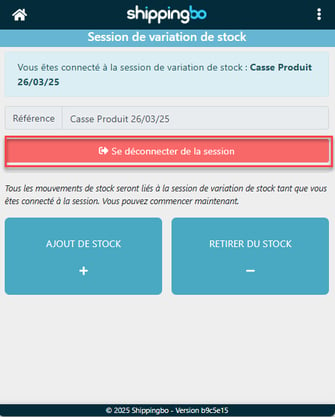
- You are now logged into your session. A banner reminds you that you are active on this session:
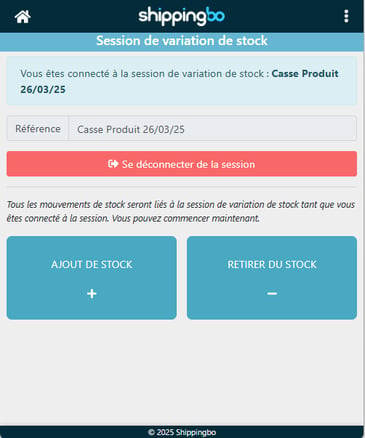
3.2 Choosing the type of movement
➡️ Select Adding stock Or Stock removal
📢Attention :
You cannot combine the two types in the same session. If you need to do both, create two separate sessions.
3.3 Start the session
Depending on your storage method:
-
In advanced warehouse : See the dedicated tutorial
-
In standard warehouse : See this tutorial
3.4 Disconnecting from a session
Once you have finished your movements:
-
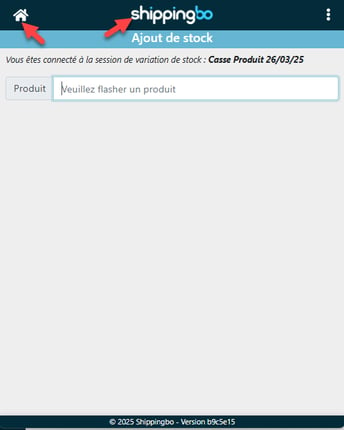
Click on thehouse icon or the logo Shippingbo
-
Return to the menu Inventory management -> Stock variation session
-
Click on Log out of the session
💠 Noticed :
This is possible from any view of the PDA.
3.5 Close the stock variation session in Shippingbo
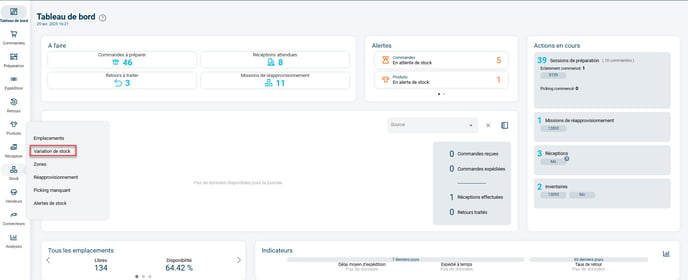
- Go to the menu Stock -> Stock variation session :
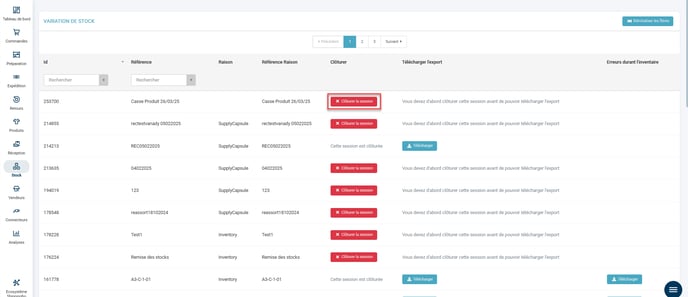
- Click on Close the session of the desired session:
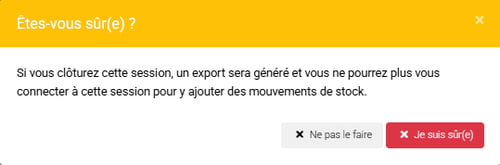
A message appears informing you that once the session is closed, it will no longer be possible to connect:
Once closed, you can thenDownload the PDF or CSV summary for archiving or control:
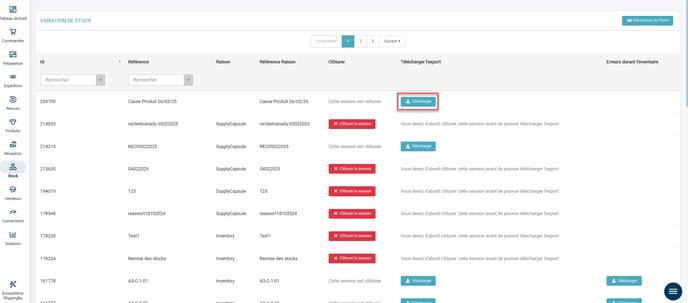
📢Attention :
The summary is accessible uniquely after the session has ended.
4. Example of practical application
You are an e-commerce merchant You're in the ready-to-wear sector and have just received a new collection. You want to quickly update your stock.
-
You open a stock variation session on your PDA.
-
You select “Add” and scan all the received products.
-
Once finished, you close the session from the Shippingbo interface.
-
You then download the session summary to send to your accounting team.
Result : Your inventory is up to date, errors are avoided, and you have downloadable proof of transactions.
To go further 🛫:
- Add/Remove stock using your PDA in the advanced warehouse
- Add/Remove from stock outside the advanced warehouse
Contact us 📬:
Any questions about this feature?
Feel free to write to us here so that we can answer your questions.