.png?width=210&height=40&name=bleu%20et%20gris_Sigle+logo%20SBO%20(4).png)
Why migrate your FedEx account on Shippingbo?
FedEx is migrating its API. To keep a compliant and functional flow, all FedEx accounts using external services such as Shippingbo must migrate APIs to use the new flow.
The old FedEx flow may be discontinued in the coming weeks, so this quick migration needs to be done.
How to migrate your FedEx account?
In your Shippingbo space, go to your FedEx contract:
- In the Transport contracts, search for FedEx and click on the FedEx contract to migrate:
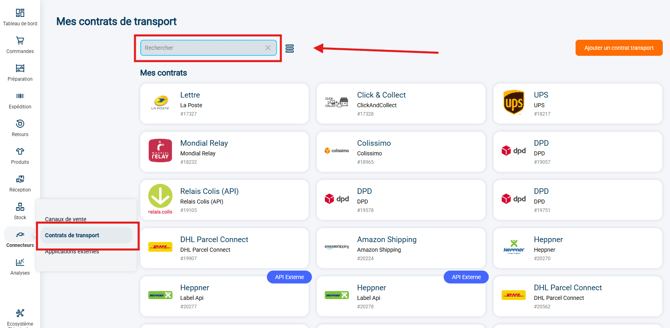
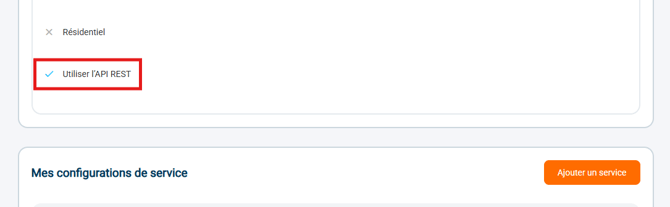
- On the contract settings page, check the option Use REST API to use the new FedEx API:
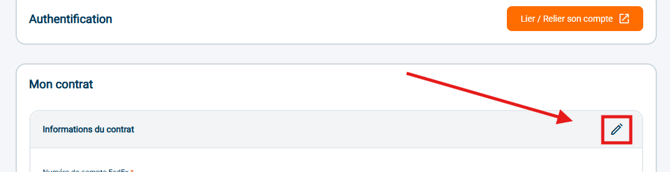
- Checking this option makes the button Link / Relink your account appear (refresh the page if needed), click on it to start the migration of your FedEx account:
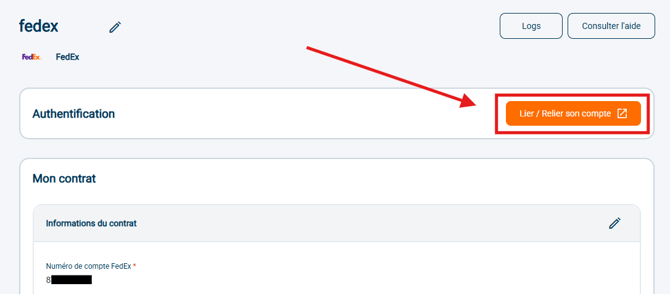
- A pop-up appears with the FedEx End User License Agreement to read and approve:
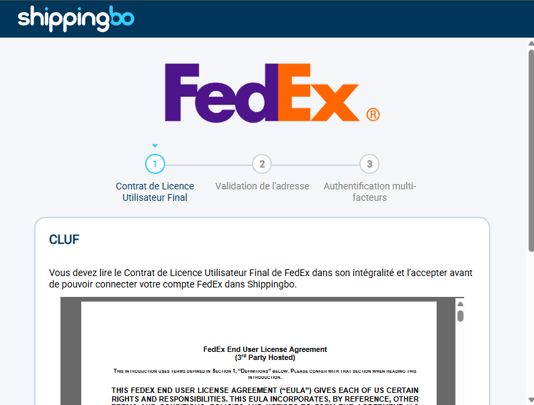
➡️ You must have scrolled the scroll bar all the way to the bottom of the agreement for the greyed-out checkbox to unlock: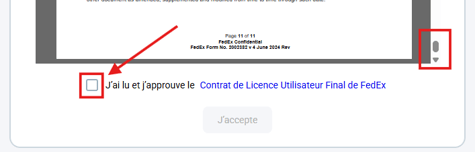
➡️ Checking the checkbox unlocks the button I accept, click on it to go to the next step: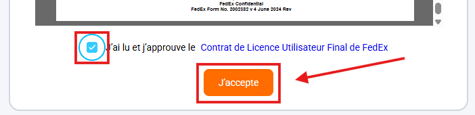
- Fill in the required information, such as the account number, customer name, address, postal code, city and country code. Then confirm the selection and click on Confirm to go to the next step:
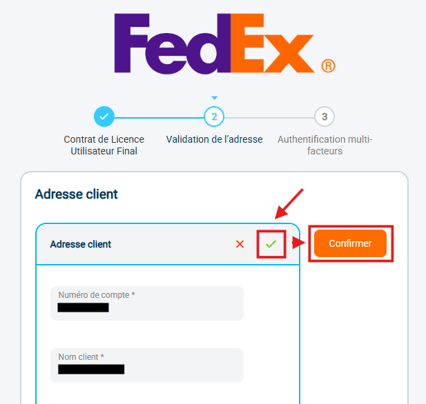
➡️ If you have difficulties at this step, do not hesitate to contact your FedEx account manager so that they can provide you with the information needed for the connection. - To validate the connection, FedEx will ask you for two-factor authentication via the method of your choice from the list: either Invoice, SMS, E-mail or Phone :
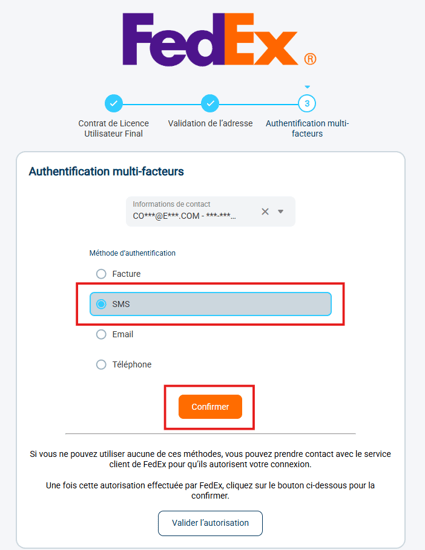
➡️ Whichever choice you make here, you can go back by simply clicking on the Multi-factor authentication: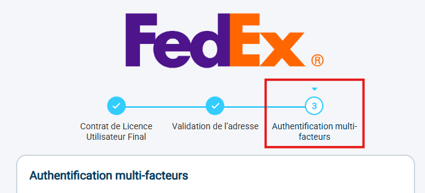
- Fill in the requested connection information (here, the information from a sample invoice, since the authentication method Invoice was selected) and click on Confirm:
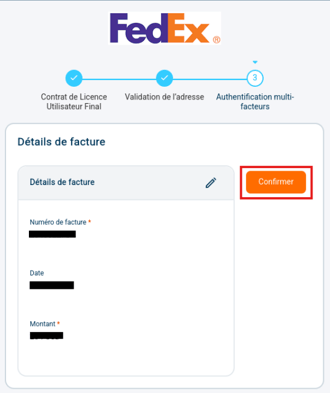
- Once the two-factor authentication method has been validated, a confirmation message is displayed:

⚒️ Framework and responsibilities:
Before fully using the feature described in this tutorial, we strongly recommend running a test phase with your own settings to check that the result matches your expectations. As the customer remains fully responsible for the actions carried out in the Shippingbo account, these tests are essential to use the tool with complete peace of mind.
Contact us 📬:
Questions about this feature?
Feel free to write to us here so that we can answer your questions.