.png?width=210&height=40&name=bleu%20et%20gris_Sigle+logo%20SBO%20(4).png)
Summary

Better field visibility: some customer information comes through as an order message, visible on the slip.
Business flexibility: choice of behavior for each note_attribute (tag, message or both).
Fewer logistics errors: important instructions are no longer buried among the tags.
2. Prerequisites ✔️
-
Have a Shopify store connected to Shippingbo.
-
Have note_attributes used on Shopify orders.
3. Understanding Shopify note_attributes
The note_attributes are custom fields added to the Shopify order, often used for delivery instructions or to convey a gift message.
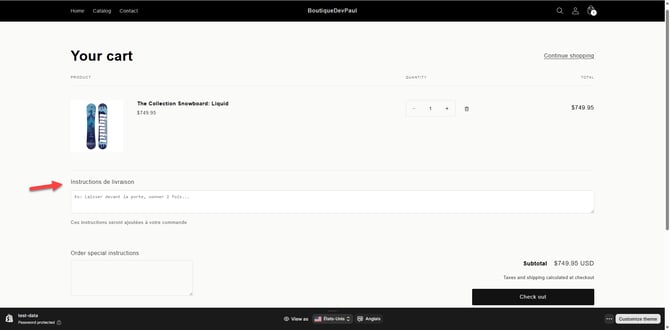
Each note_attribute has:
- a name field (e.g.:
Delivery instructions) - a value field (e.g.:
For Julien Gonzalez)
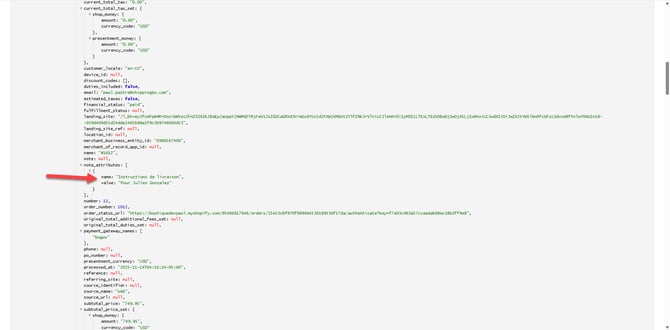
Example of the logs of a Shopify order with, as "Delivery instructions", "For Julien Gonzalez"
4. Configuring the retrieval of the note_attributes field
The Shippingbo Shopify connector can interpret the note_attributes field either as an order tag, or as an order message:
4.1 note_attributes fields considered as order tags
The field to configure is Fields in note_attributes that must be considered as order tags:
This field is found in your Shopify sales channel, then in the section Order retrieval:
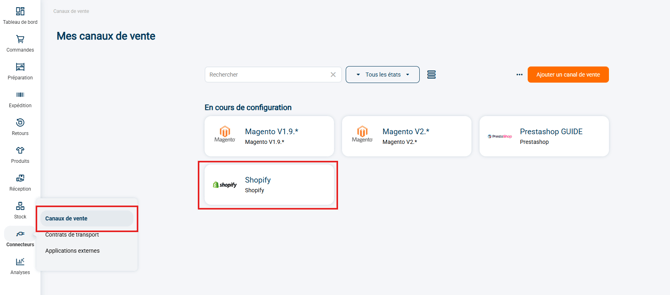
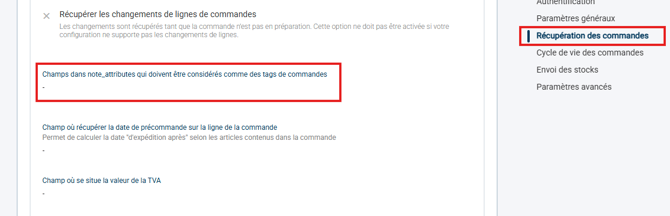
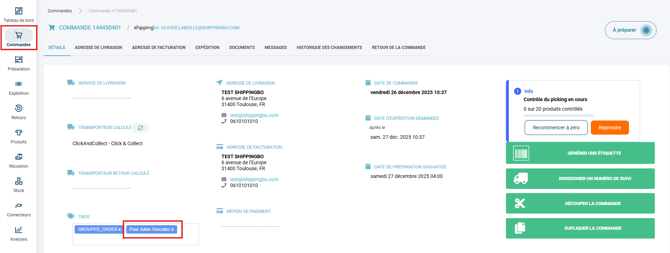
To retrieve the information "For Julien Gonzalez" (see Example of the logs of a Shopify order above), we will enter in the field Fields in note_attributes that must be considered as order tags the term "value".
The note_attributes entered are converted into Shippingbo order tags, which can therefore be found in the section Tags in the order details:
4.2 note_attributes fields considered as order messages
The field to configure is Fields in note_attributes that must be considered as messages in orders:
This field is found in your Shopify sales channel, then in the section Order retrieval:
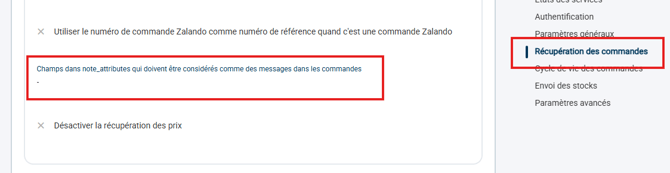
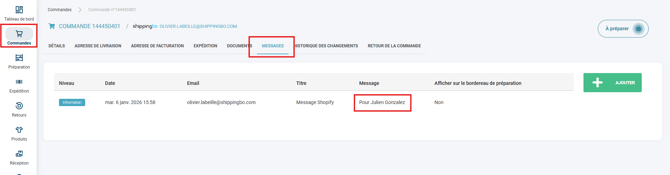
To retrieve the information "For Julien Gonzalez" (see Example of the logs of a Shopify order above), we will enter in the field Fields in note_attributes that must be considered as messages in orders the term "value".
The note_attributes entered come through as Shippingbo order messages, which can be displayed directly on the preparation slip, just like a regular note:
⚒️ Recommendation:
Before fully using the feature described in this tutorial, we strongly recommend running a test phase with your own settings to check that the result matches your expectations. As the customer remains fully responsible for the actions carried out in the Shippingbo account, these tests are essential to use the tool with complete peace of mind.
Contact us 📬:
Questions about this feature? Feel free to write to us here so that we can answer your questions.