.png?width=160&height=30&name=bleu%20et%20blanc_Sigle+logo%20SBO_300dpi%20(2).png)
You want to create a preparation session by saving filters but you encounter the following error:
Error message:
"Search must be filled in."
Here, the error is due to the fact that you have not selected any search filters beforehand in the Orders menu.
✅Solution:
Go to the Orders menu and filter your orders by your search criteria. Here, for example, we filtered them by the Shopify order source:
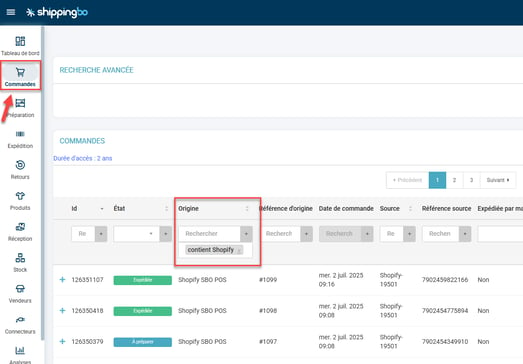
Then click on Save filters and you will then be able to create your preparation session according to your search criteria.
Contact us 📬:
Questions about this feature?
Feel free to write to us
here so that we can answer your questions.