.png?width=210&height=40&name=bleu%20et%20gris_Sigle+logo%20SBO%20(4).png)
You notice the following error message in the "Messages" tab of a shipped order, or receive this message by email:
"Order [...] was shipped in an unusual way without stock decrementation. We recommend that you apply the stock variations."
This message means that the label was generated without following a preparation process, i.e. the products were not picked for this label, and therefore were not removed from stock.
For more details about the error, you can go to the Shipment tab of the order, and click on Order lines. You will then see the details of the ordered products, and below them a Picking information tab. This tab shows which products were picked for the label:
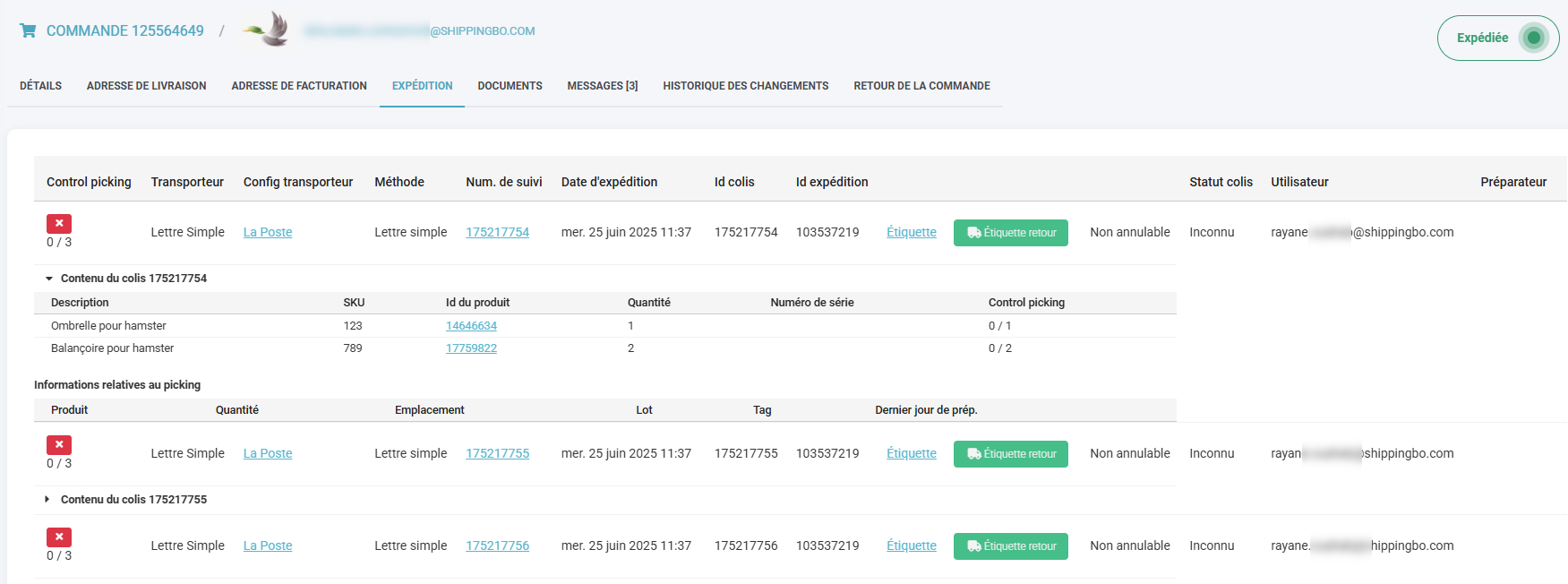
Here, if your Picking information tab is empty, it means that no product was picked for the label, hence the message you received.
✅Solution:
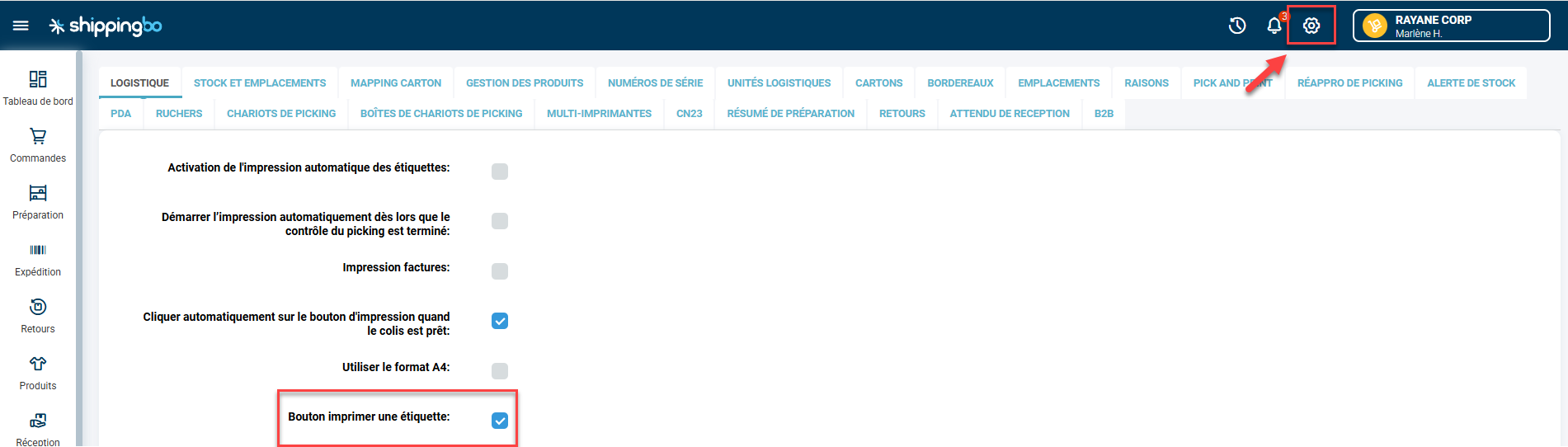
You can hide the Generate a label button, to avoid this action, which can be a source of errors. To do so, go to Configurations -> Logistics and uncheck the Print label button option:
If the order was prepared in a preparation session and picking was done, but the order was shipped outside the session (via the "Generate a label" button) instead of scanning the slip or the apiary cell, please refer to the following FAQ: Why do I have stock in picking even though my order has been shipped?
Contact us 📬:
Questions about this feature? Feel free to write to us here so that we can answer your questions.