.png?width=210&height=40&name=bleu%20et%20gris_Sigle+logo%20SBO%20(4).png)
You have just generated a carrier label to ship an order, but your printer could not print it.
To find this label in your Shippingbo interface, click on the history icon located on the right of the top menu bar:

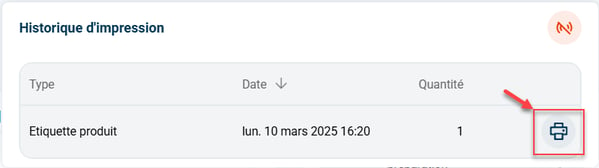
To try printing again, click on the printer icon located to the right of the quantity:
⭐ Key point:
If the following icon appears in red, it means the connection to your printer is not working:
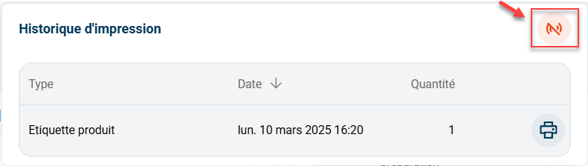
➡️ In this case, please go back through the steps of the dedicated tutorial CONFIGURE THE MULTI-PRINT PRINT SERVER ON PC.
To go further 🛫:
FAQ ❔:
- ERROR: A JAVA EXCEPTION HAS OCCURRED
- THE PRODUCT LABEL DOES NOT PRINT THE RIGHT WAY UP
- ACCESS THE HISTORY OF GENERATED LABELS
Contact us 📬:
Questions about this feature?
Feel free to write to us here so that we can answer your questions.