.png?width=210&height=40&name=bleu%20et%20gris_Sigle+logo%20SBO%20(4).png)
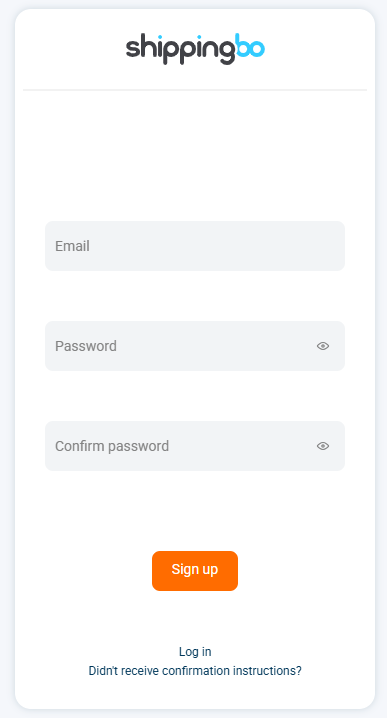
1. Create your developer account
To be able to create a Shippingbo API application on your Shippingbo account, you must first create your developer account.
You can create it by going to the Developer Dashboardhere.
2. Create the app
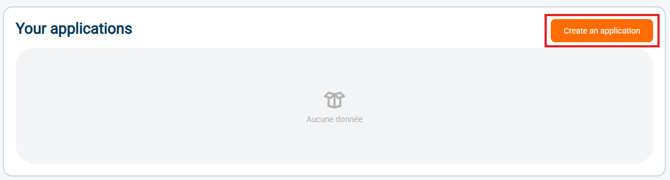
2.1: Once your developer account is created, click on the "Create an application" button.
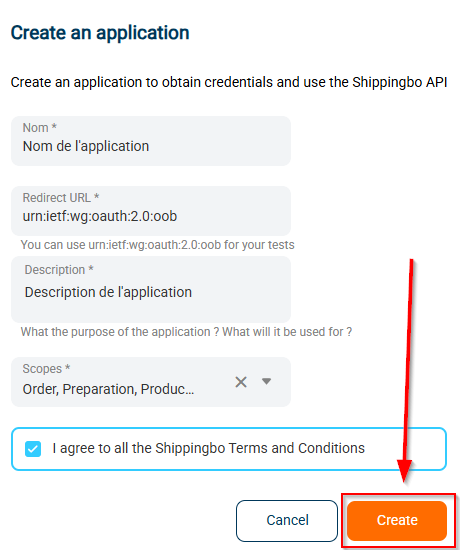
Then, enter the following information:
- the name of your application
- yourredirect URIThe location to which the authorization server redirects the user once the application is authorized, along with an authorization code. The authentication server sends the code or token to the...redirect URITherefore, you must record the exact location during the application registration process. The format must be as follows:https://...
If you wish to retrieve the token on a blank, generic page, you can use this URL: urn:ietf:wg:oauth:2.0:oob
Then, click on "Create":
3. Create Authentication with OAuth
3.1: Click on AuthorizeTo authorize the creation of your app: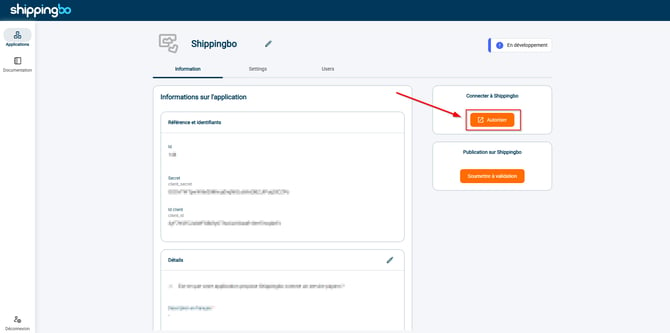
3.2 : Obtain the necessary authorization code for the first API connection
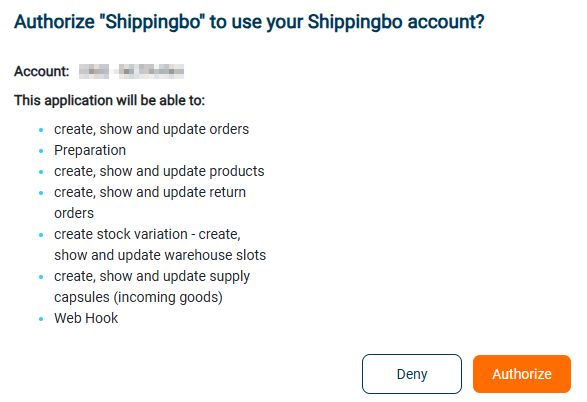
Once the application is authorized, the authorization code will be displayed: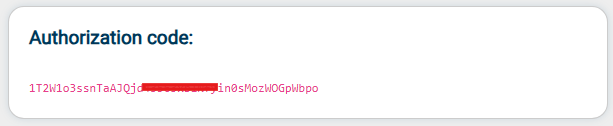
3.3: Now that you have the authorization code, you can use it to obtain the access token in your first API call:
In your API call, specify:
-
"authorization_code"in the field grant_type,
-
your authorization code in the field code.
- your customer ID and secret inclient_id And client_secret According to the information on your application:
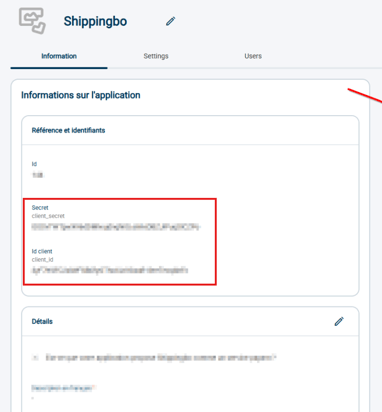
Your first call should look like this, in curl:
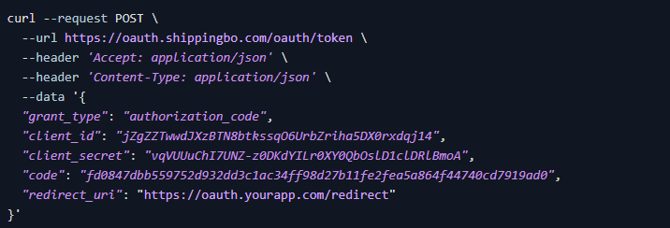
or, in PHP:
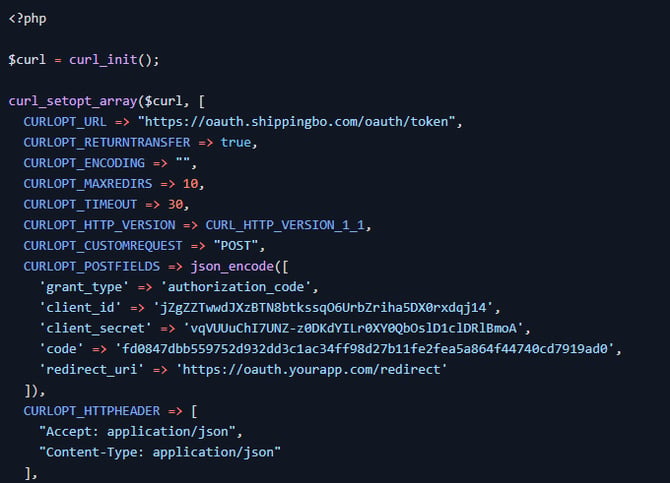
or, in ruby:
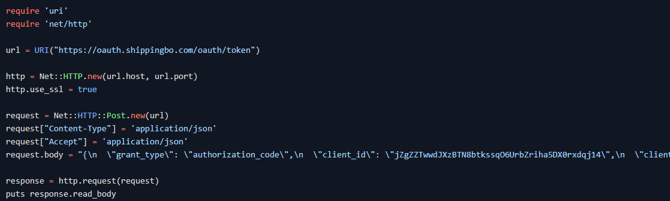
From this point on, you will no longer need the authorization code. It only serves as an access key to obtain the refresh_token And access_token.
4. Use your API application
4.1: Use theaccess_token to identify you in your calls.
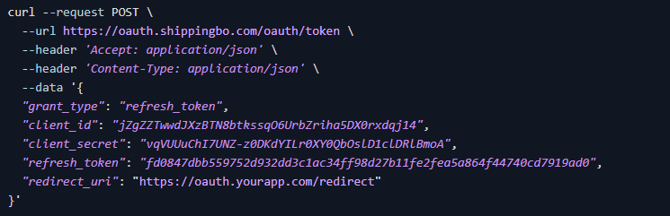
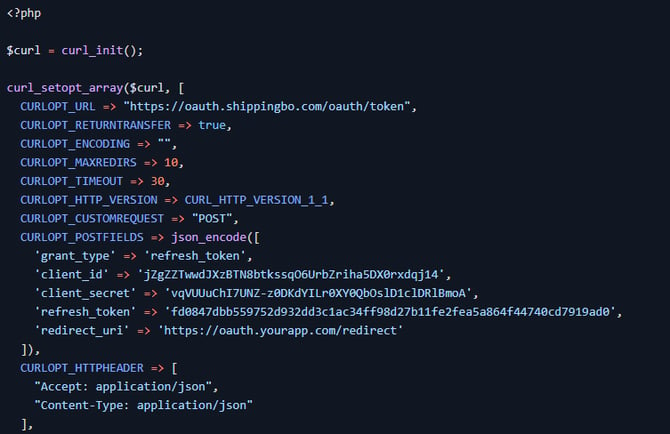
4.2: Your access_token will expire regularly. To renew your access_tokenyou will be able to use your refresh_tokenA newrefresh_token will be generated with each renewal.
To renew your access_tokenYou can integrate "refresh_token" into the "grant_type" call.
➡️ More information in the dedicated API documentation: Obtain an access token.
Example of curl queries:
php:
ruby:
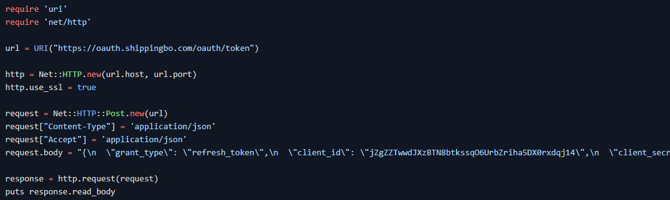
4.3: Make an API request to Shippingbo:
To make an API request to Shippingbo, you must include the following headers in your request:
- X-API-VERSION: current API version
- Authorization: Beareryour access_token': your identification token
- X-API-ID: the value of your Shippingbo app ID in your dashboard:
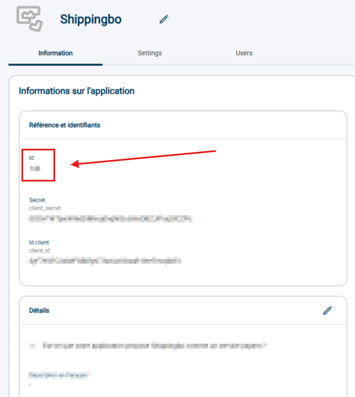
💠 Noticed :
For more information, please refer to our API documentation.here.
⚒️ Recommendation:
Before fully using the functionality described in this tutorial, it is strongly recommended to performa testing phasefollowing your own parameters to verify that the result meets your expectations. The remaining customerfully responsibleThese tests, based on actions performed on the Shippingbo account, are essential to ensure the tool can be used with complete peace of mind.
Contact us 📬:
Any questions about this feature?
Feel free to write to ushereso that we can answer your questions.