.png?width=210&height=40&name=bleu%20et%20gris_Sigle+logo%20SBO%20(4).png)
You want to enter the country of origin of your products in the additional product fields, and you want to do it in bulk (on a large number of references at the same time) to save time.
✅Solution:
You simply need to retrieve the IDs or SKUs of your products from the catalog, or from the Products export: Go to Configurations -> File management -> Product additional fields -> Import a file -> download one of the templates:
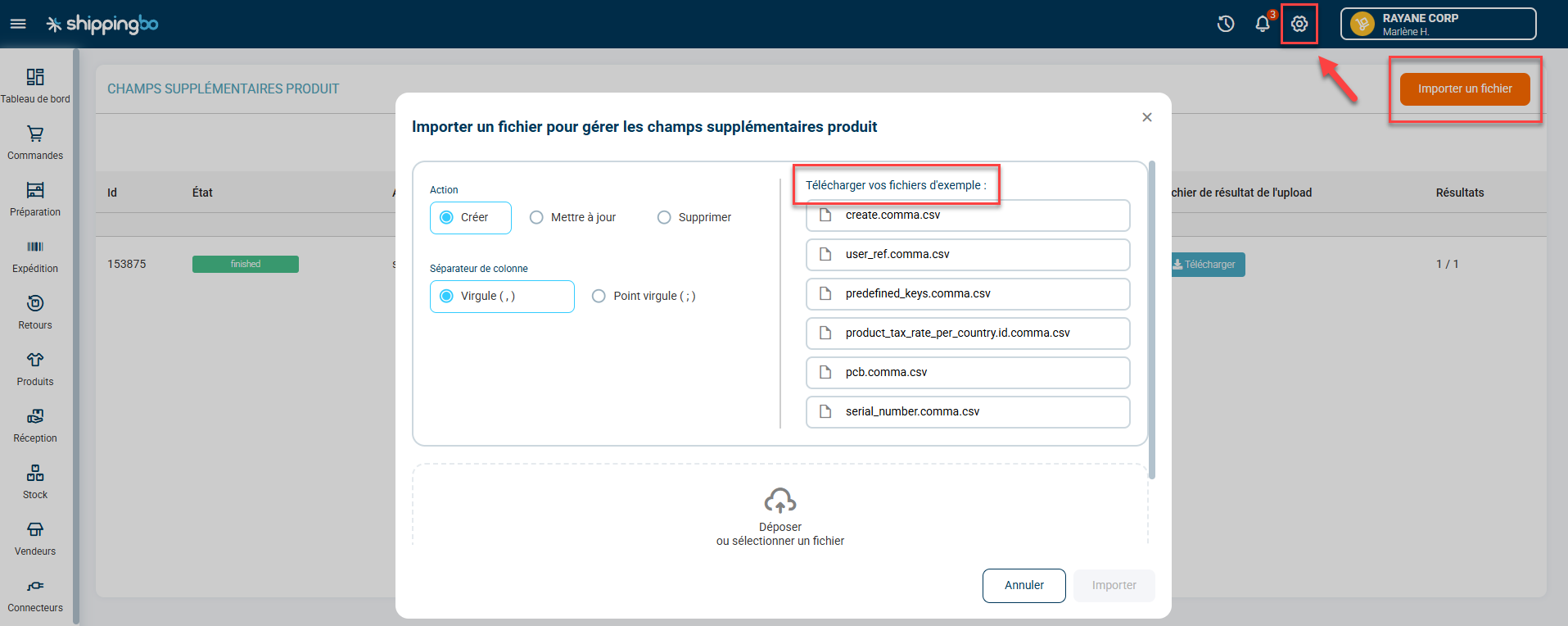
Warning: to add a country of origin to products that do not already have one, you must check "create". To change the country of origin value on products that already have one, you must check "update". It is not possible to create and update with the same file.
In the first column, enter the id or the SKU (if the header is "userRef", enter the SKU; if the header is "productId", enter the id).
In "key", enter "customOriginCountry".
In "value", enter the country code.
Contact us 📬: