.png?width=210&height=40&name=bleu%20et%20gris_Sigle+logo%20SBO%20(4).png)
When generating the label for an order, you receive the following error message:
"The parcel information contains errors. Please check it.
The Total weight (grams) field must be filled in
The HS Code field must be filled in
The Unit weight (g) field must be filled in
The HS Code field must be filled in"
This message indicates that the fields shown have no value entered, whereas the carrier concerned requires them to be filled in to be able to generate a label.
✅Solution: depending on the field(s) to fill in, enter a weight in grams, dimensions in millimeters, and the HS Code of the product(s) in the order.
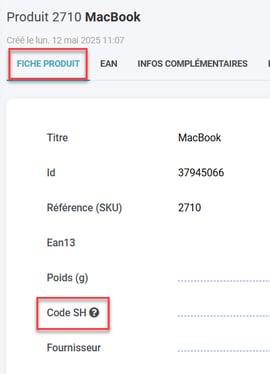
- The HS Code is a number that allows customs to classify products into categories. It is notably required for orders including a CN23 (customs document). You can enter it for each product in your catalog, by file import or directly in the product sheet:
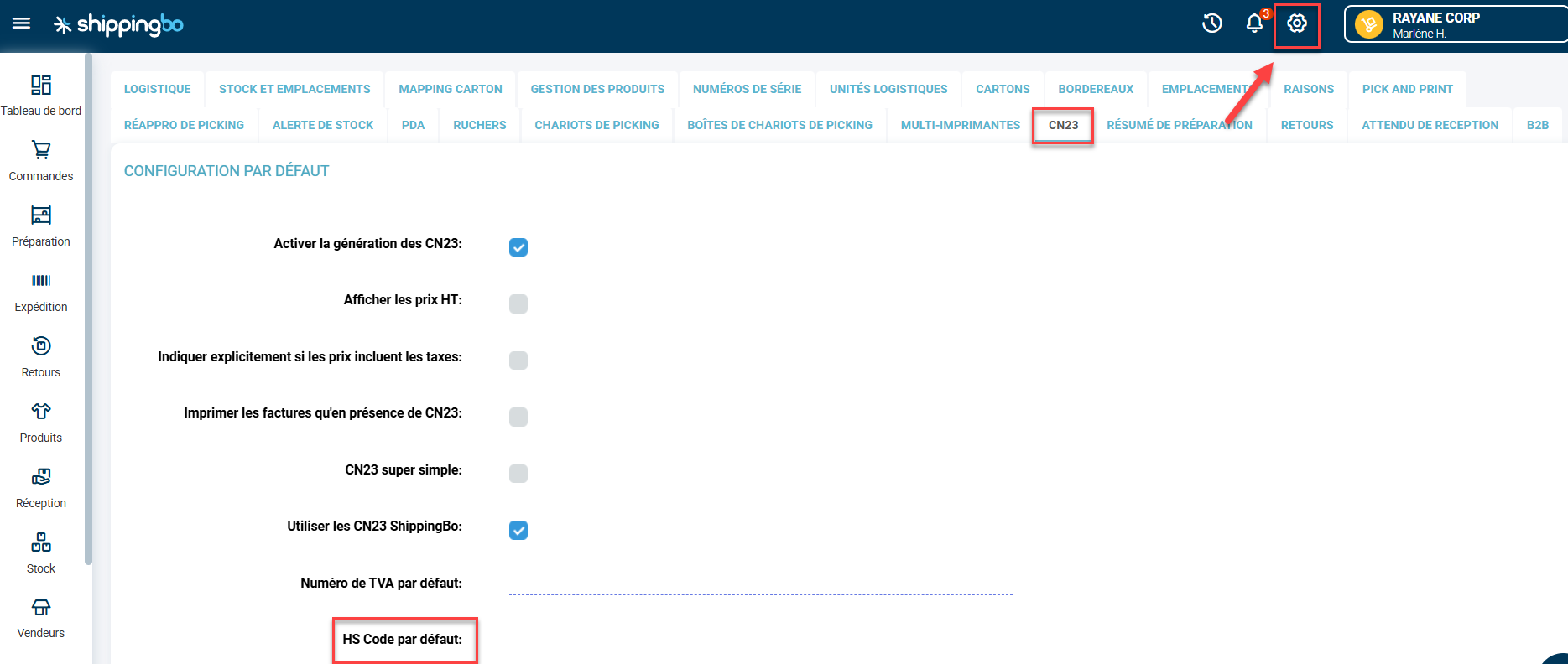
You can also set a default HS Code if all of your products belong to the same category (you only sell jewelry, for example). To do so, go to Configurations -> Logistics -> CN23 -> Default HS Code:
Contact us 📬:
Questions about this feature?
Feel free to write to us here so that we can answer your questions.