.png?width=210&height=40&name=bleu%20et%20gris_Sigle+logo%20SBO%20(4).png)
You receive an error message about a Magento, Woocommerce or Prestashop order, like the example below:
"The order creation date seems incorrect [...] We have not found a simple way to correct this date. You should probably inspect the source of this order."

This message indicates that the timezone is not specified in the order, so the order date is not correct.
This error message has no impact on the preparation or shipment processes of your orders.
✅Solution:
You need to enter the value Paris in the timezone field of your Woocommerce or Prestashop, as shown below:
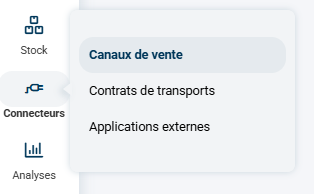
Log in to Shippingbo -> go to the menu Connectors -> Sales channels:
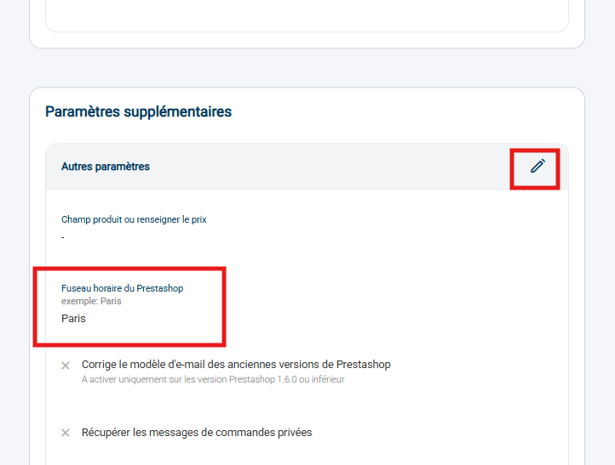
Prestashop:
Advanced settings -> Additional settings -> Time zone of the Prestashop -> enter Paris:
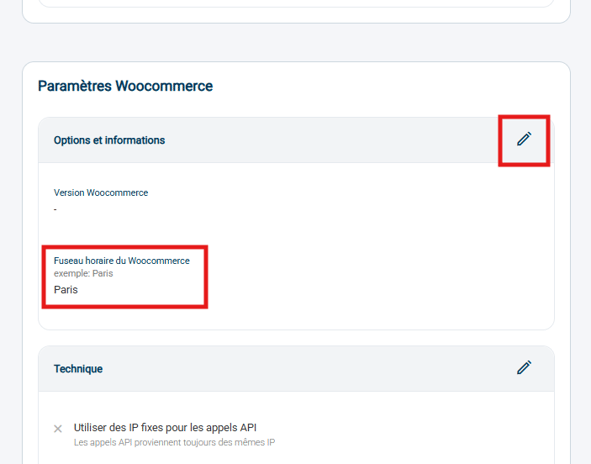
Woocommerce:
Advanced settings -> Woocommerce settings -> Time zone of the Woocommerce -> enter Paris:
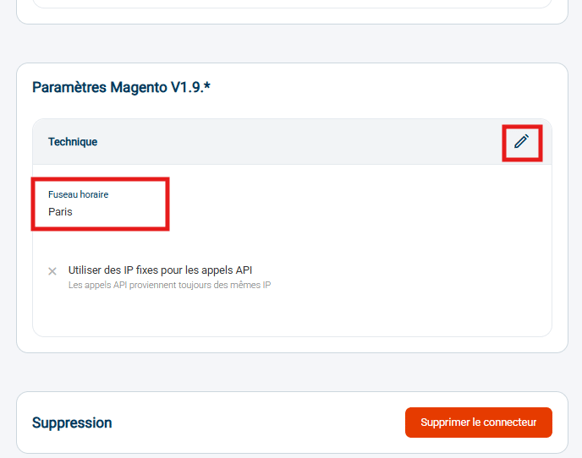
Magento:
Advanced settings -> Magento settings -> Time zone -> enter Paris:
Contact us 📬:
Questions about this feature? Feel free to write to us here so that we can answer your questions.