.png?width=210&height=40&name=bleu%20et%20gris_Sigle+logo%20SBO%20(4).png)
As a logistics provider, you can now activate and deactivate sellers on your Shippingbo account.
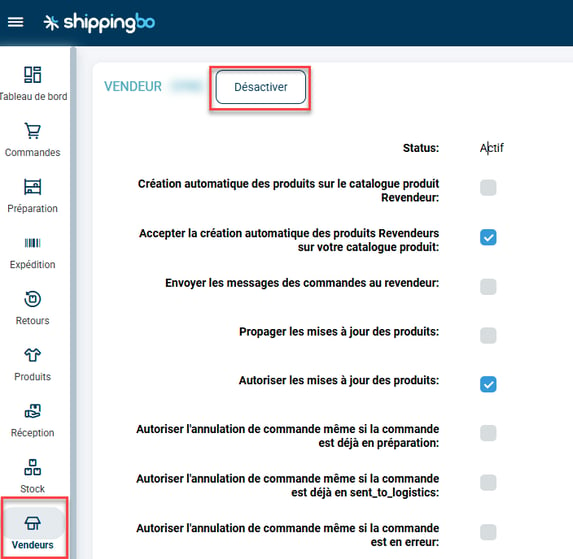
To do this, go to the menu Sellers -> then open the details of the seller in question, and click on Activate / Deactivate:
📢 Warning:
Deactivating a seller on your Shippingbo account will completely cut the link between your account and the seller's account. As a result, this will deactivate the synchronization of orders, stock, expected receipts and products in the OMS account.
A warning message will appear if you want to deactivate a seller.
Click on "Deactivate" if you want to deactivate it completely.
Contact us 📬:
Questions about this feature?
Feel free to write to us
here so that we can answer your questions.