.png?width=210&height=40&name=bleu%20et%20gris_Sigle+logo%20SBO%20(4).png)
💠Note:
This feature is only available on the
PC.
📢Warning:
Prerequisites for using the feature:
- The order must be in a preparation session
- No picking must be in progress
You can remove an order from a preparation session from the label printing page.
To do so, follow the usual path for creating a preparation session (you can see our tutorial here), generate your preparation slips, then generate the labels for your parcels in the sidebar menu Generate a label:
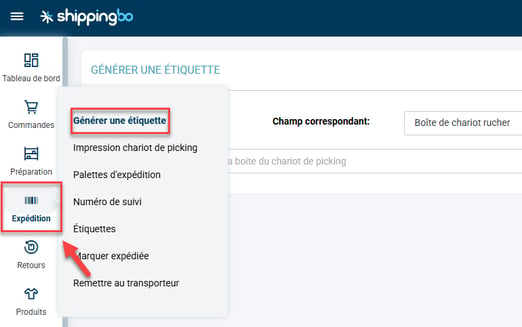
Here, if the label cannot be printed for any reason, a message appears and invites you to remove the order in error if you wish.
If you click on the corresponding button, the order will be taken out of the preparation session and will return to the "To prepare" status.
Contact us 📬:
Questions about this feature?
Feel free to write to us
here so that we can answer your questions.