.png?width=210&height=40&name=bleu%20et%20gris_Sigle+logo%20SBO%20(4).png)
If you use the feature that sends order status change notifications by email or SMS, and you want to make sure that the notification was sent correctly, please follow these steps:
1. Go to the menu Connectors -> Sales channels -> Open the details of the sales channel for which you want to check that notifications were sent.
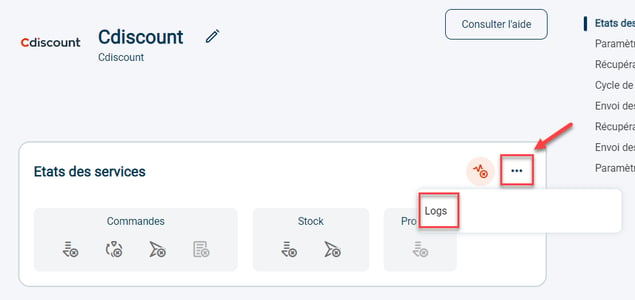
2.Click on the three dots to the right of the service status, then click on Logs:
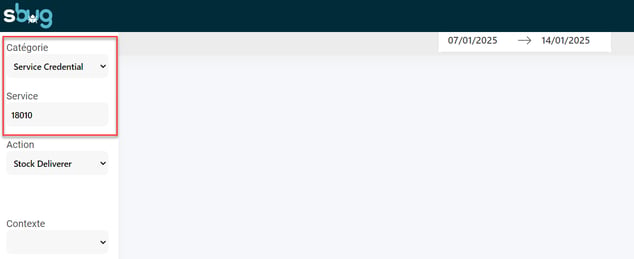
3. In the field Category select "OrderStateNotification" and in the field Service: enter the id number of the email / SMS notification (e.g. 2018, 2017) that you will find in the configurations of your notifications:
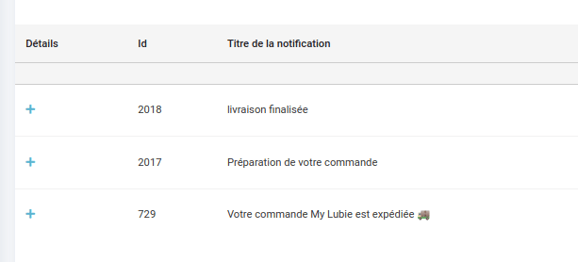
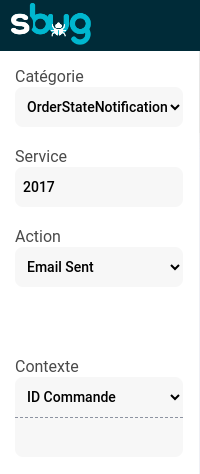
You will thus be able to confirm that the notification was correctly triggered and sent.
Here we can see that the SMS status notification was correctly sent for the status Dispatched (Routed):
-png.png?width=688&height=242&name=image%20(19)-png.png)
Contact us 📬:
Questions about this feature? Feel free to write to us here so that we can answer your questions.